
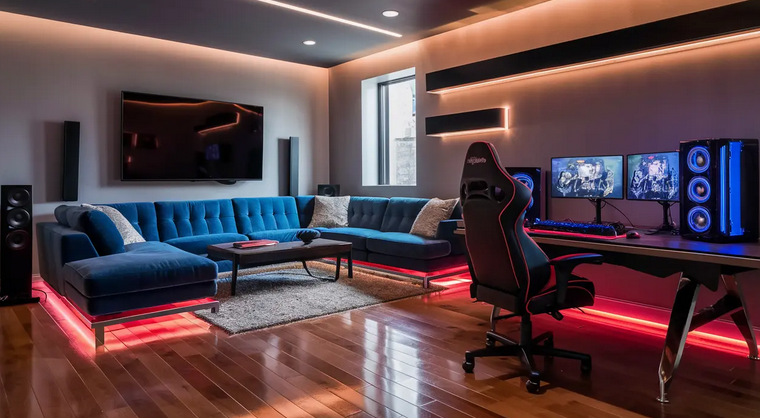
Anyone can throw a desk in a corner, plug in a PC, and call it a gaming room. But the spaces that actually feel intentional — the ones you photograph, the ones friends notice, the ones you genuinely look forward to walking into every night — are built on a set of principles that have nothing to do with how much you spent. They’re about layout, lighting, ergonomics, acoustics, and a few clever 2026-specific tricks that separate “bedroom with a computer” from a real gaming room.
This guide is for the gamer who’s tired of generic “buy this RGB strip” articles and wants to know how to actually plan, lay out, and build a gaming room that works. Whether you’ve got a dedicated room, half a basement, or a corner of a studio apartment, the 10 tips below will help you build something genuinely great. A few product picks are sprinkled where they directly solve a problem — but the principles matter far more than the gear. Get these right and even a budget setup will look and feel premium.
1. Start With the Layout, Not the Gear

The biggest mistake people make is buying gear first and planning the room around it. The smart approach is the opposite — measure your room, sketch the layout, then choose furniture and equipment that fits. Map where natural light hits during the day (key to monitor placement), where outlets are located, and where doors and windows open. A simple sketch on graph paper or in a free app like Floorplanner saves weeks of regret.
In 2026, modular furniture is the dominant trend specifically because it lets you reconfigure layouts easily. Pick desks and shelving you can move and reshape, rather than monolithic pieces that lock you in. The single most important rule: position your desk so windows are to the side of your monitor, never directly behind or in front. Direct sunlight behind the screen causes glare; sunlight behind you reflects on the screen. Side-light is gentle and easy on the eyes.
2. Invest in Ergonomics First, Aesthetics Second
The chair and desk are the two pieces you spend the most hours in, and bad ergonomics destroys every other upgrade. A cheap chair will give you back pain that no $2,000 graphics card can compensate for. Spend more on seating than feels comfortable. In 2026, hybrid chairs that double as office and gaming chairs are dominating the market — better lumbar support, better breathability, longer-lasting build than aggressive racing-style buckets.
Monitor placement matters too: top of the screen at eye level, screen roughly arm’s-length away (20–30 inches), tilted very slightly upward. Use a monitor arm to lift it off the desk and free up surface space. This single change drops neck strain dramatically.
Get an ergonomic monitor arm: Check monitor arms on Amazon →
3. Pick a Theme — And Actually Commit to It
Gaming rooms that look incredible online almost always have a clear, committed theme: minimalist black-and-white, cyberpunk neon, cozy retro, synthwave purple, white streamer studio. Rooms without a theme feel scattered — they’re a chair from one aesthetic, a desk from another, RGB that doesn’t match the wall art that doesn’t match the rug.
In 2026, the strongest theme trends are: minimalist with hidden tech (clean lines, integrated cable management, monochrome with one accent color), synthwave/cyberpunk (deep purples and teals, neon accents, dark base), cozy gamer (warm wood tones, plants, soft fairy lights), and all-white streamer studio (Pokimane/Valkyrae aesthetic, pastel accents, high contrast for camera). Pick one and let it dictate every subsequent purchase. The result looks deliberately designed rather than randomly assembled.
4. Build Lighting in Three Layers
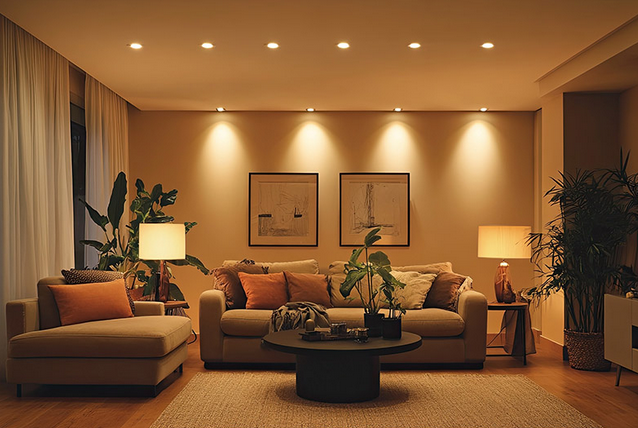
This is the single biggest design principle separating amateur setups from photogenic ones. In 2026, professional gaming room design uses three distinct lighting layers:
- Task lighting — a desk lamp or monitor bar (like the BenQ ScreenBar) that illuminates your keyboard without creating glare on the screen. Reduces eye strain in dark rooms dramatically
- Ambient lighting — LED strips along ceiling edges, behind the desk, or under furniture for soft fill light that fills the room
- Feature lighting — Nanoleaf panels, neon signs, RGB Pixoo displays, or a centerpiece light that defines the room’s personality
The mistake most people make is using only RGB feature lighting and skipping task and ambient. The result is a room that looks great in photos but is awful to actually game in — dim, glare-heavy, and tiring on the eyes within an hour. Layer all three for both function and visual depth.
Get a monitor light bar: Check the BenQ ScreenBar on Amazon →
5. Take Acoustics Seriously
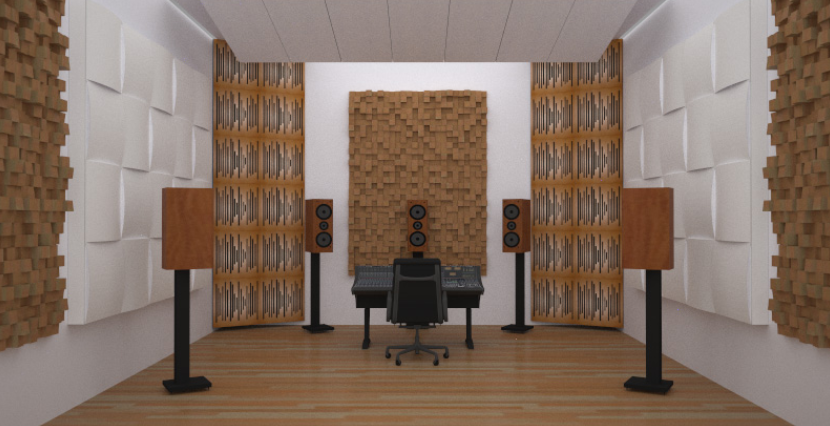
This is the most overlooked aspect of gaming room design, and it shows immediately on streams, in voice chat, and in everyday use. Echo and reverb make your voice sound thin and amateur in Discord, ruin streamed content, and create listener fatigue. In 2026, PET felt acoustic panels in hexagons, slatted wood designs, or printed art patterns dominate because they look like genuine high-end decor while absorbing sound.
You don’t need to soundproof a studio — you just need to deaden room echo. Three quick wins: hang acoustic panels on the wall behind your seating, install a thick high-pile rug under your desk (this also stops chair-wheel clatter), and use heavy curtains or a fabric headboard if your room doubles as a bedroom. Your Discord voice will sound dramatically crisper within an hour of installing these.
Get acoustic panels: Check acoustic wall panels on Amazon →
6. Plan Cable Management Before You Plug Anything In
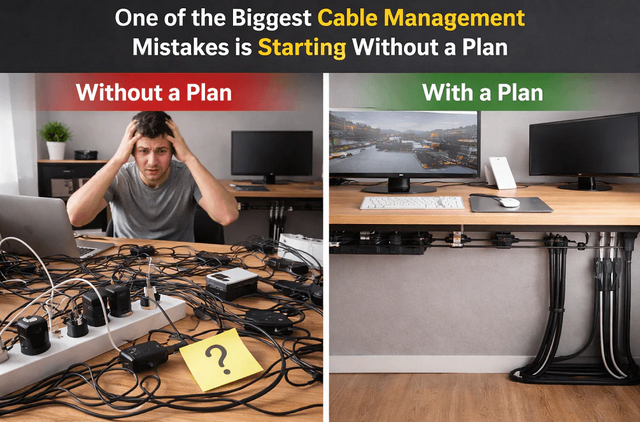
Tangled cables are the difference between a room that looks photographable and one that looks like a teenager’s bedroom. In 2026, the modular furniture trend has cable channels and pass-throughs built directly into desks and walls, but you can replicate the look with retrofit options on any desk:
- Mount a cable tray under your desk to hide power strips and excess slack
- Use velcro ties (not zip ties — they’re not adjustable) to bundle cables in groups
- Pick the same color cable sleeves throughout the setup for a unified look
- Route everything down one leg of the desk, not scattered across both sides
- Wall-mount your power strip rather than letting it dangle
The whole project takes 60–90 minutes the first time and transforms the visual quality of the room dramatically. After this, every cable change is faster and the desk stays clean permanently.
Get a cable management kit: Check cable management kits on Amazon →
7. Add Personal Identity (Posters, Collectibles, Art)
A gaming room without personal touches is just a tech showroom. The setups that feel like yours are the ones that include posters of games you actually love, framed artwork in your chosen theme, collectibles displayed thoughtfully on floating shelves, or even a personalized neon sign with your gamertag. Pixoo and Divoom pixel art displays are huge in 2026 because they animate and change, so the personality of the room shifts with your mood.
Stick to one or two display surfaces (a feature wall and floating shelves work well) rather than scattering items everywhere — too many objects make the room feel cluttered. The 2026 minimalist trend leans toward “fewer, but better” — a couple of framed pieces, a small curated collection of figures, and that’s it. If you have a large collection, rotate displayed items seasonally rather than showing everything at once.
8. Build for Multiple Functions
The most useful gaming rooms in 2026 do more than just game. They double as work-from-home offices, streaming studios, lounging spaces, and casual hangout zones. Design for that flexibility from the start: a sit/stand desk works for both work and gaming, a comfortable secondary seat (small couch, oversized beanbag) gives you a place to play handhelds or watch streams, and ambient lighting that can shift from “work mode” white to “gaming mode” RGB lets the same room serve completely different vibes.
Plan storage that hides the gaming-specific stuff during work hours: a closed cabinet for controllers and headphones, a drawer for cables, a discreet console shelf. This is what lets a gaming room feel mature rather than like a permanent man-cave — the gear is there when you want it and invisible when you don’t.
9. Prioritize Comfort During Long Sessions
The setups that feel “premium” aren’t the ones with the most expensive gear — they’re the ones designed for genuine comfort during 6+ hour sessions. Climate control matters more than people admit. A small desk fan or proper room AC keeps you cool during summer marathon sessions, and a smart thermostat or space heater handles cold winter nights. Hot rooms make you sleepy and irritable far faster than poor gear ever will.
Other long-session considerations: a hydration setup nearby (water bottle holder, small fridge in reach), a snack drawer that doesn’t crumb up your keyboard, blue-light glasses or warm-tone lighting after sunset for sleep hygiene, and ideally a small humidifier in dry climates to keep your throat from drying out during voice chat. Comfort compounds — small frustrations stack up over hours and ruin your gameplay long before your gear does.
10. Build in Phases, Not All at Once
The fastest way to overspend and end up with a mediocre room is to buy everything at once. The smartest 2026 builds happen in three phases over 6–12 months:
Phase 1 — Foundation: Desk, chair, monitor, primary gaming PC or console. These are the pieces you live with daily; spend the most here Phase 2 — Atmosphere: Lighting (all three layers), acoustic treatment, cable management, primary wall art. Transforms the room visually Phase 3 — Personality: Collectibles, secondary seating, posters, pixel displays, plants, fine-tuning. Makes the room feel uniquely yours
Most people invert this — they buy RGB and posters first, then realize their chair is terrible six months later. Phase the build properly and the room improves continuously rather than peaking on day one. It also gives you time to refine your theme as you live in the space and learn what actually works.
Final Summary: Build the Gaming Room You’ll Love in 2026
A great gaming room in 2026 isn’t about spending the most money. It’s about applying smart principles consistently. Plan the layout before you buy gear. Invest in ergonomics first. Pick a single theme and commit. Build lighting in three layers. Take acoustics seriously. Manage your cables before they manage you. Add genuine personal identity. Design for multiple uses. Prioritize long-session comfort. And build in phases over time. Follow even half of these and your setup will outperform rooms that cost twice as much.
The other lesson 2026 keeps teaching is that the most impactful upgrades are almost always the small, unglamorous ones — a $40 monitor arm, $30 worth of acoustic panels, a $25 cable management kit, a single well-placed task lamp. Spend the big money where it matters most (chair, desk, monitor), then layer in the inexpensive details that quietly transform everything else. Build it right, build it slowly, and you’ll end up with a gaming room that feels like yours — and that you’ll genuinely love sitting down in every single night.